


Fandango - Buy Movie Tickets
4.788.65K Reviews
App Specs
- Version
- 17.2
- Updated On
- License
- Free
- Downloads
- 10,000,000+
- Developer
- Fandango
- Categories
- Entertainment
- Platform
- Android, iOS
Screenshots

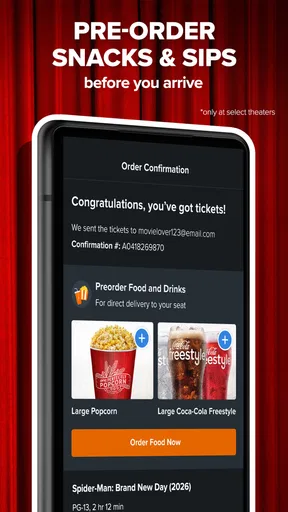
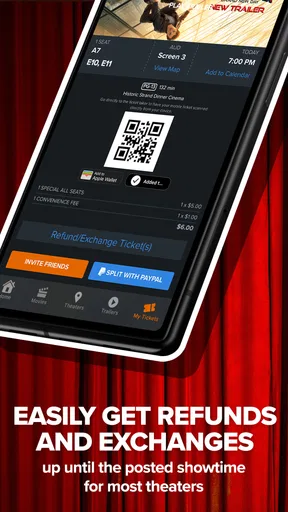
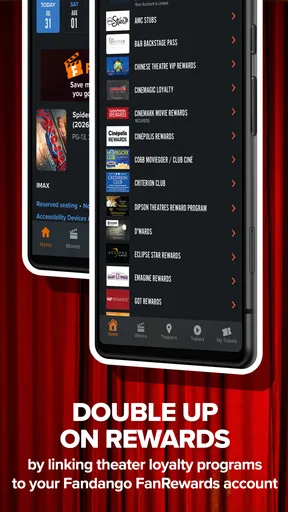
 Analysis by AppCompare
Planning a cinema trip usually sounds simple until the practical details get in the way: finding a suitable screening, checking the time, choosing seats, and making sure everyone in the group is looking at the same show. I found Fandango useful because it brings those steps into one entertainment app instead of making me jump between a theater website, a map, and a separate ticketing process. It is free to use, developed by Fandango, and aimed at people who want to organize a movie visit from a phone.
My experience with Fandango - Buy Movie Tickets was strongest when I treated it as a planning tool rather than merely a digital ticket counter. The app helps narrow down the practical choices around a night at the movies, especially when I already know roughly what I want to see but still need to compare nearby showtimes. It is not a replacement for every theater’s own app or website, but it is a convenient starting point when several cinemas are possible.
Finding a screening without wasting time
The first thing I noticed is that the app’s value depends on how quickly it gets me from an idea—“I want to see a movie tonight”—to a useful list of options. That workflow is more helpful than searching the web manually because the decision is rarely just about the film. Location, time, seating, and availability all matter at once. Having those choices gathered in one place makes spontaneous plans easier to manage.
For a normal evening, I would use it before leaving home, compare a few showtimes, and reserve seats once the group agrees. That is more efficient than arriving at the theater and hoping the preferred screening still has good seats. It also helps when friends are coming from different areas, since checking several theaters can reveal a better compromise than automatically choosing the closest venue.
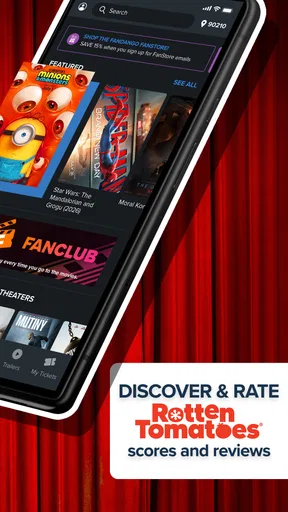
The app’s store summary focuses on buying tickets, finding showtimes, reserving seats, and locating a nearby theater. In practical use, those functions form a sensible sequence. I can begin with the movie, move to a theater, inspect the available time, and then make the seating decision. The process feels most natural when I have a clear destination or title in mind; browsing casually across many possibilities can take more attention because there are several filters and choices to consider.
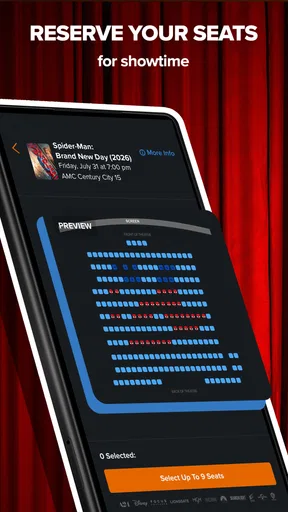
One useful habit is to compare the complete outing rather than selecting the earliest screening immediately. A slightly later showing at a more convenient theater may be better than rushing across town. I also recommend checking the seat layout before asking everyone to commit. For a couple, a few remaining seats may be acceptable, while a larger group can find that the same screening is no longer practical.
What the app is good at during real planning
Imagine I am arranging a Friday evening with two friends. One person finishes work late, another wants a particular seating area, and I do not want to drive to a theater only to discover that the useful showtimes are full. Fandango gives me a way to compare the available options before making the trip. That reduces the back-and-forth messages that usually happen when each person searches separately.
Worth Reading Before You Choose

EA SPORTS FC Mobile 26 Is a Bigger Football Game, but It Takes Time

Flipboard Shows What News Apps Must Do Beyond the Feed

Switching to Android Auto Means Rethinking Your Driving Routine

Google Calendar Makes a Crowded Week Easier to Manage

Ludo King Makes the Most of the Minutes Between Plans

Baby Panda World Brings Quick Play to Modern Phones, but Its Game Library Feels Busy
It is also handy for a last-minute decision. If I am already near a shopping area and have an hour to spare, checking nearby theaters through the app is more practical than opening several individual theater pages. The nearby-theater focus is especially valuable in unfamiliar areas, where I may not know which cinemas are close enough or which one has the most suitable time.
A less obvious advantage is that the app can help separate the movie choice from the theater choice. I might care about the film but have no strong preference for the venue, or I might want a familiar theater and be flexible about the time. Thinking in those two stages makes the search less confusing: first identify realistic venues, then compare screenings and seats within them.
Speed, stability, and heavier moments
In everyday use, I expect a ticketing app to feel responsive during short sessions. I am usually opening it with a specific purpose, not spending an hour exploring. Fandango fits that pattern reasonably well: the important screens are connected to a clear task, and the process is easier to follow when I make one decision at a time. The perceived speed is less about visual effects and more about whether I can move from a title to a usable screening without losing my place.
The busiest moment is the final part of the process, when I am checking seats and trying to complete a reservation while other people may be making plans at the same time. That is where patience matters most. I would not repeatedly tap buttons if a screen takes a moment to update, because ticket availability can change while a selection is being processed. A calm, deliberate workflow is safer than rushing through the seat-selection stage.
For a popular release or a convenient evening screening, the app becomes more valuable but also more demanding from a decision-making perspective. There may be fewer attractive seats, several nearby theaters, and a narrow window that works for everyone. I found it helpful to decide in advance which compromises are acceptable: a different time, a different venue, or seats that are not together. That preparation makes the app feel faster because I am not reconsidering every option from the beginning.
Heavy use can also mean repeated searches. If I am comparing several theaters, I try to keep the search focused instead of constantly changing the location and title. A broad search is useful for discovery, but a narrow search is better for finishing a purchase. This is a practical trade-off: the app can expose more possibilities than a single theater page, yet that flexibility can create extra choices when I already know what I want.
Recovery when plans change
Movie plans are often fragile. Someone may be late, a chosen time may stop being convenient, or the group may decide on another venue. In those cases, the app is most useful when I return to the original decision and compare alternatives rather than starting from scratch elsewhere. I would still review every final detail carefully before confirming anything, especially the theater, time, and seats, because a small change in the search can lead to a very different outing.
My main recovery advice is simple: do not assume that going back preserves every earlier choice. Recheck the screening and seating information after changing the movie or theater. This is not a criticism unique to Fandango; ticketing workflows naturally depend on live availability. Still, the responsibility falls on the user to verify the final selection instead of relying on memory from the previous screen.
If the app does not behave as expected at a busy moment, I would avoid creating duplicate attempts immediately. First confirm whether the selection or reservation actually went through, then check the relevant details before trying again. That cautious approach is especially important when a group is waiting and the temptation is to tap repeatedly. A ticketing app should reduce uncertainty, but users still need to slow down at the point where money and seats are involved.
Device fit and everyday limitations
Fandango is listed for devices running Android or iOS, with a minimum operating-system requirement of version 9. That makes it accessible to many people using older phones, although the experience can still vary depending on the device, system condition, and connection. I would keep the phone’s operating system reasonably current when possible, not because the app requires the newest hardware, but because ticket browsing is more comfortable when the device itself is stable.
I did not find the app’s purpose dependent on having a powerful phone. This is not a graphics-heavy game or a creative editor that needs demanding hardware. Its workload is mostly practical browsing, selecting, and completing a booking. A modern mid-range phone should be more than adequate for that kind of use, while an older device may feel less comfortable if switching between screens is already slow.
Resource demands are also easier to manage when the app is used in short bursts. I would not leave it open unnecessarily while traveling, especially if I have already chosen the screening. Open it when comparing options, finish the decision, and close it when the task is complete. That is a sensible routine for any ticketing app and helps preserve battery without sacrificing convenience.
The Teen content rating is worth noting for families deciding whether the app is appropriate on a shared device. The rating does not determine which movies a person should watch, but it does mean parents may want to consider the app within their own household rules. Since the service is centered on cinema listings and tickets, the more important family question is often whether children are making purchases independently or using the app with an adult.
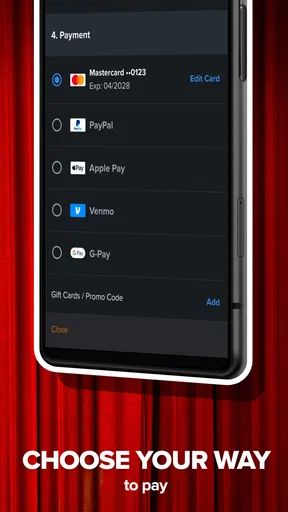
Privacy and payment decisions deserve the same attention as they would on a theater’s own service. I would review the final purchase details, keep confirmation information easy to find, and avoid making a rushed booking on an unfamiliar network. These are not glamorous features, but they are part of using a ticketing tool responsibly. The app makes the process convenient; it does not remove the need to check what I am confirming.
Where another option may be better
If I always visit one cinema and already know its schedule, that theater’s own app or website may be more direct. A dedicated theater service can feel simpler when I do not need to compare venues. In that situation, Fandango’s broader search is less important, and adding another layer may not improve the routine.
On the other hand, people who visit different theaters, coordinate groups, or travel between neighborhoods are more likely to appreciate Fandango. It is also a better fit for someone who wants one familiar place to begin a movie search instead of remembering the separate systems used by multiple cinemas. The choice depends on whether breadth or simplicity matters more in your habits.
I would not recommend it as the only planning tool for someone who wants extensive movie discussion, detailed personal recommendations, or a social community around films. Its strength is practical discovery and ticket organization, not replacing every kind of entertainment service. Likewise, users who dislike managing digital reservations may prefer buying at the theater, even though that gives them less control over seats and showtimes before they arrive.
How the app feels after regular use
Fandango has earned a strong audience, with an average rating of 4.7 from around 540 thousand ratings and more than 10 million installs. Those figures suggest that the basic ticket-finding workflow is useful to a large number of moviegoers. I would not treat popularity as proof that every theater search will be perfect, but it does match my impression that the app solves a common problem clearly enough to become part of a regular movie routine.
The current version is 17.2, and the app comes from Fandango rather than an unknown developer. That gives the product a recognizable identity for people who want a dedicated place to handle movie plans. The interface and workflow still deserve personal judgment, though: a familiar name cannot make a complicated group decision disappear, and users should choose the tool that fits the way they actually buy tickets.
What I value most is the reduction in uncertainty before leaving home. I can check whether a nearby screening works, think about seating, and make a more informed plan. The main limitation is that convenience can encourage rushed decisions when availability is changing. The app is at its best when I use its information to compare options carefully, not when I treat the first available button as the obvious answer.
My overall verdict is that Fandango is a practical choice for moviegoers who compare theaters and want to reserve seats before arriving. It feels most worthwhile for shared plans, unfamiliar neighborhoods, and evenings where timing matters. People who use one theater exclusively may find a direct theater service simpler, while anyone uncomfortable with digital bookings may prefer the box office. For everyone else, the free app offers a useful balance of discovery and convenience, provided I slow down for the final screening and seat check.
If I were recommending it to a friend, I would say to install it before the next movie night, use it to compare the whole outing rather than just the earliest showtime, and decide your acceptable compromises before opening the seat map. That small change in approach makes the experience smoother. It turns Fandango from a basic way to buy a ticket into a more dependable part of planning the evening.
Pros
- Quickly find showtimes by movie
- theater
- or location.
- Mobile ticket access can reduce waiting at the box office.
- Supports advance booking for popular releases and busy screenings.
- Movie details include ratings
- trailers
- cast
- and theater information.
- Offers loyalty rewards and occasional discounts for eligible users.
Cons
- Convenience fees can noticeably increase the total ticket price.
- Some theaters may not support mobile ticketing or seat selection.
- Refund and cancellation rules vary by theater and ticket type.
- The app may request location access for nearby theater suggestions.
- Promotional offers often include restrictions
- expiration dates
- or exclusions.
FAQs for Fandango - Buy Movie Tickets
What is Fandango, and what can I use it for?
Fandango is a movie-ticketing app that lets you browse films currently playing, check showtimes at nearby cinemas, view trailers and movie information, and purchase tickets from your Android or iOS device. It is especially useful when you want to compare theaters, reserve seats in advance, and avoid waiting at the box office before a popular screening.
Can I choose my seats when buying tickets through Fandango?
In many participating theaters, Fandango allows you to view the auditorium layout and select available seats during checkout. However, reserved seating is not supported at every cinema, so the options can vary by location and movie. Before paying, review the seat map and ticket details carefully to confirm that your preferred seats have been successfully selected.
Are there additional fees when purchasing tickets with Fandango?
Fandango may add a convenience or service fee to online ticket purchases, and the exact amount can depend on the theater, ticket type, order size, and applicable promotions. The final checkout screen should show the total price before you confirm payment. It is worth checking this summary carefully, especially when buying several tickets for one screening.
Can I cancel or get a refund for Fandango tickets?
Refund and cancellation policies depend on the theater and the timing of your request. Fandango commonly provides a refund option for eligible tickets before the listed showtime, although convenience fees may be treated differently and some purchases may not qualify. Open your order details in the app and review the specific terms before requesting a refund or exchange.
Does Fandango offer rewards, discounts, or gift cards?
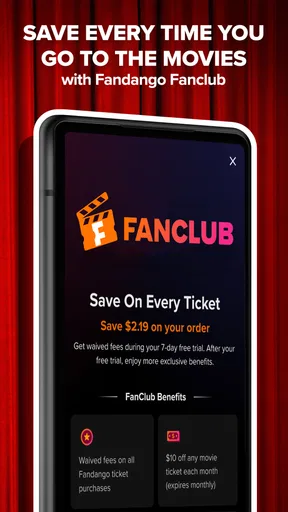
Fandango may provide promotional offers, reward opportunities, gift cards, and special movie deals, although availability can change over time and may differ by region or participating theater. Some promotions have restrictions, expiration dates, or limits on eligible titles and showtimes. Check the offer conditions in the app before assuming a discount will apply at checkout.


